All Features

Jump between Desktops
from your phone.

Switch macOS Spaces instantly. Smart navigation picks the fastest path. Custom labels so you know where you're going.

Your Desktops, On Your iPhone

Spaces appear as tappable chips. The current Space is highlighted. Tap any chip to switch.
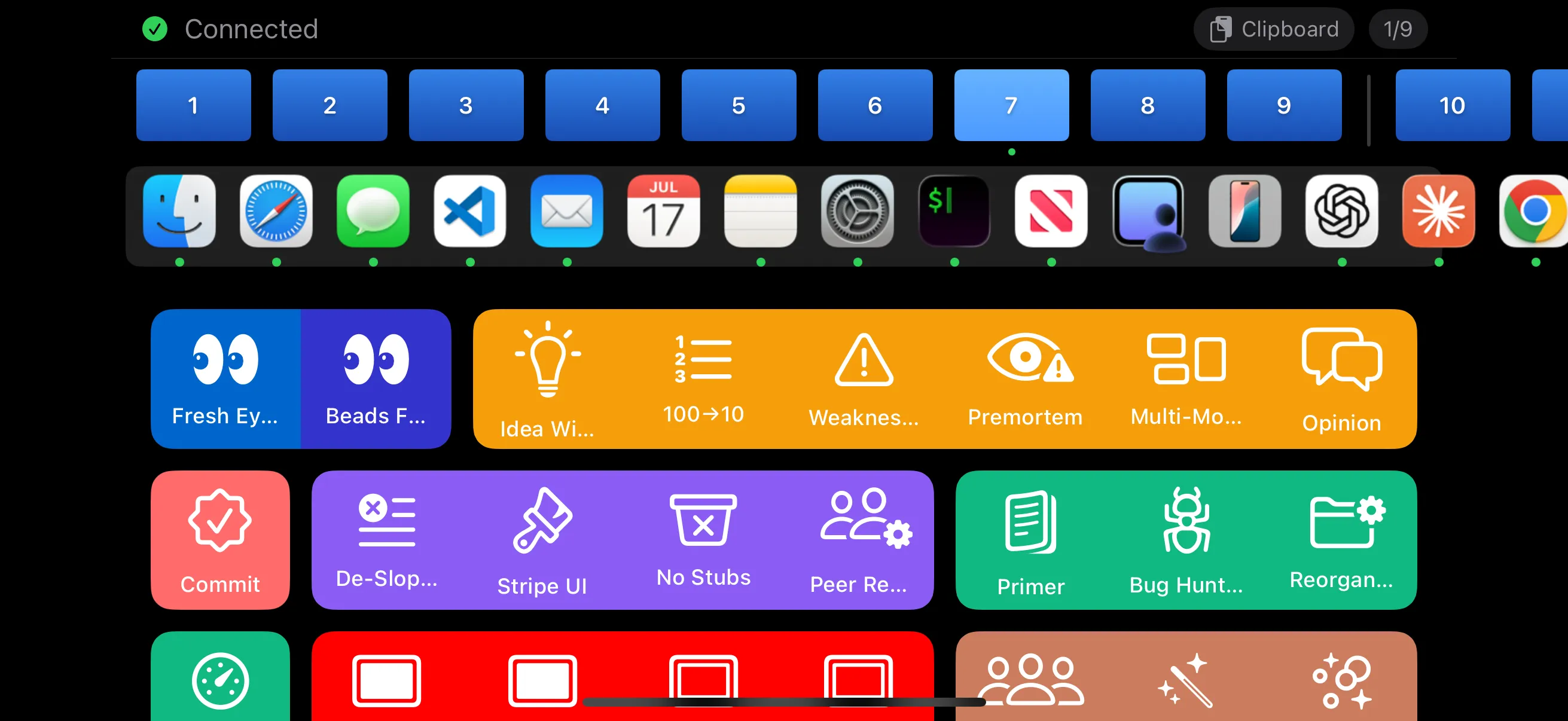
PromptDeck landscape view showing Spaces row at top with numbered desktop chips

Spaces 1-9

Direct keyboard shortcut. Control+3 = instant switch to Space 3.

Spaces 10+

Calculates the cheapest path: arrow from current, or jump to Space 9 first, then arrow.

Sub-Second

Regardless of how many Spaces you have. 300ms delay between keystrokes for reliability.

Smart Navigation Algorithm

Not just arrow keys. An optimized pathfinding algorithm.

Example: Switch from Space 1 to Space 15

A

Strategy A: Arrow from current

14 arrow presses right = 14 steps

B

Strategy B: Jump to 9 first, then arrow

Ctrl+9 + 6 arrows right = 7 steps

PromptDeck automatically picks Strategy B — 2x faster.

Custom Labels

Name your Spaces "Main", "Code", "Browser" instead of just numbers.

Current Space Highlighted

Always know which Space you're on with visual highlighting.

Fullscreen Spaces Filtered

Only regular desktops appear. Fullscreen app Spaces are automatically hidden.

Configuration

Enable Spaces with one line. Add labels for clarity.

buttons.yaml
spaces:
  labels:
    - "Main"      # Space 1
    - "Code"      # Space 2
    - "Browser"   # Space 3
    - "Slack"     # Space 4
    - "Music"     # Space 5

Prerequisite: Enable "Switch to Desktop N" keyboard shortcuts in System Settings → Keyboard → Keyboard Shortcuts → Mission Control.

Navigate Spaces, not menus.

Download PromptDeck Host and switch Desktops from your iPhone.

Download for Mac