Your iPhone is now
a remote control
for your Mac.

Inject prompts, switch apps, navigate Spaces, find tabs — all with one tap.

Coming to the App Store

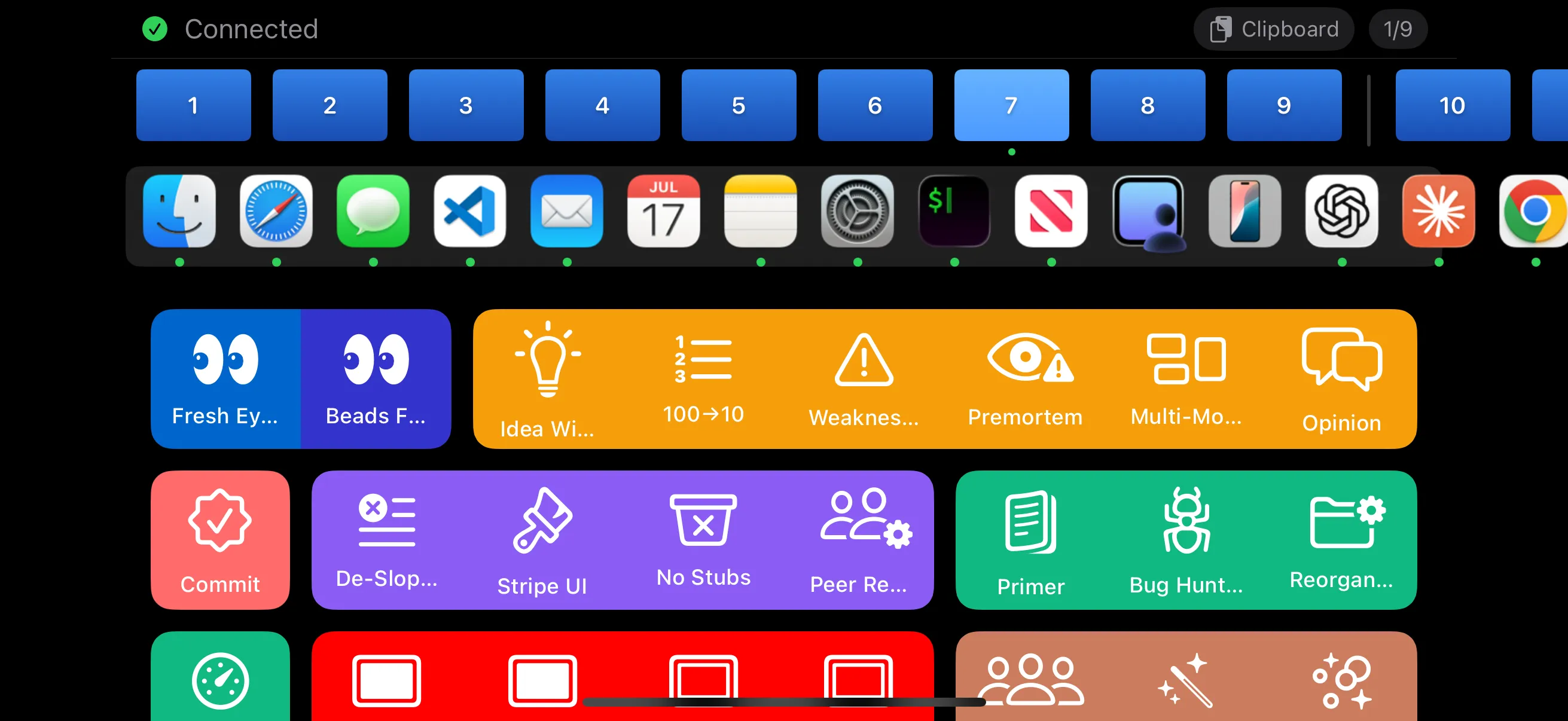
PromptDeck in landscape showing a full grid of colorful coding buttons, Space indicators, and page navigation

How It Works

Three steps. No cloud. No accounts. Just your devices on the same network.

01

Tap

Choose a button on your iPhone — prompts, app launchers, shortcuts, system actions.

02

Send

The command travels instantly over WebSocket on your local network. Under 50ms.

03

Inject

Text appears at your cursor. Apps launch. Tabs switch. Spaces navigate. Instantly.

Explore PromptDeck

More than a prompt injector. A complete remote control for your Mac.

Take a Closer Look

Designed for power users who want total control.

PromptDeck landscape view showing colorful button groups

A grid designed for how you work

Organize buttons into pages and groups with custom colors, icons, and labels. Swipe between pages to switch contexts.

Sort alphabetically, filter by triggers, or keep your own hand-crafted order. Every detail is configurable.

It knows where you are

PromptDeck monitors your active app, Desktop Space, and WiFi network. Pages switch automatically based on what you're doing.

Open Xcode and your dev tools appear. Switch to Desktop 3 and your design page loads. Connect to work WiFi and your work buttons show up.

Xcode active
Dev Tools
Work WiFi
Work
Desktop 3
Design
buttons.yaml
buttons:
  - label: Review
    icon: eye
    color: "#3B82F6"
    prompt: |
      Review this code for bugs
      and suggest improvements.

  - group: Testing
    color: "#10B981"
    buttons:
      - label: Unit Tests
      - label: Integration

One file. Total control.

Everything is configured in a single YAML file. Buttons, groups, pages, triggers, colors, icons — all in one place.

Edit with any text editor. Changes apply instantly. No app restarts. No UI builders. Version control your entire button layout with Git.

Why PromptDeck

Built for developers who value speed, privacy, and control.

Fast

Text injection in under 50ms over local WebSocket. No cloud roundtrip. No lag.

Private

Everything stays on your local network. No cloud services. No accounts. No telemetry.

Open

YAML config you own. No vendor lock-in. Extend it and make it yours.

Get Started

Up and running in under two minutes.

1

Download

Download PromptDeck Host for Mac and drag it to Applications.

2

Grant Access

Enable Accessibility permission in System Settings so it can inject text.

3

Connect

Open the iOS app, enter the PIN shown on your Mac, and start tapping.

Download for Mac

macOS 15.5+ · Apple Silicon · Free & open source